Clay Integration
Connect the Foreplay API to Clay to enrich lead lists with advertising data.
Written By Zach Murray
Last updated About 1 year ago
The different API endpoints allow you to access real-time or historical advertising a company has run through a platform eg. Facebook, TikTok etc.
Example: Get ads using Brand Domain
For use with Clay, finding brand ID or Ad Library ID from a domain name is the most common.
ℹ️ Company domain can be passed in any format including ‘company.com’ ‘www.company.com’ or ‘https://company.com’
Use HTTP API Connector
To connect Foreplay API to Clay, you'll need to use the 'HTTP API' connector in Clay. This connector allows you to leverage the Foreplay API workflows directly in Clay.
Click “Add Column” or “Add Enrichment”
Select HTTP API
Click “Configure”
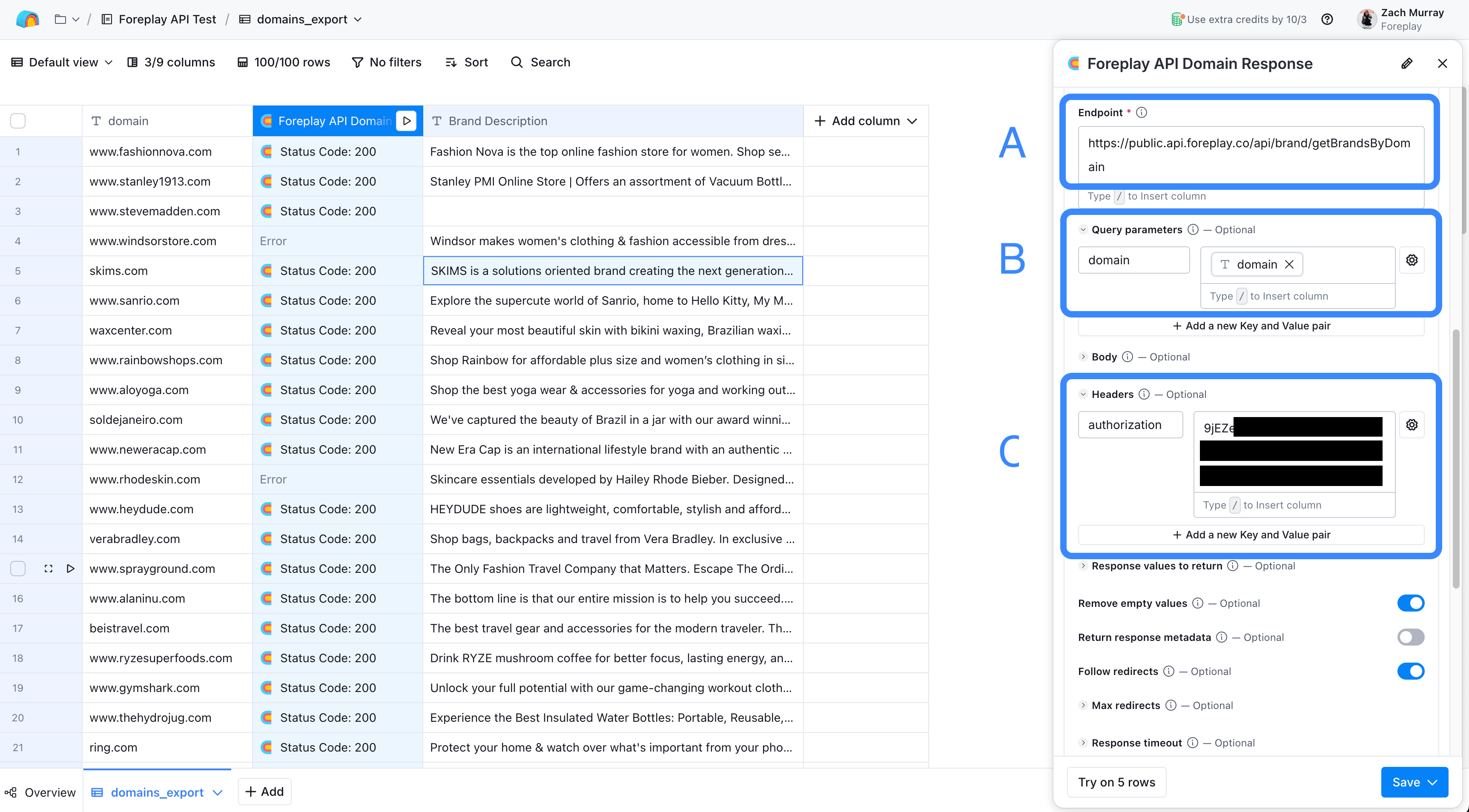
A. Selecting an Endpoint
For example, to find brands in our database by domain use the following endpoint https://public.api.foreplay.co/api/brand/getBrandsByDomain to browse other endpoints available, check out the technical docs.
B. Query Parameters
This is where we can query the Foreplay API based on content from our Clay table. In this example, we will use the “domain” column.
C. Authorization
To use your Foreplay API Key, click the “Headers” dropdown and;
“Add a new Key and Value Pair”
Label as
authorizationValue =
YOUR API KEY
Was this helpful?
Still need help? Share an idea